

Domesday
2010
Communications
Modes
 |
 |
 |
 |
 |
 |
 |
 |
 |
 |
 |
 |
 |
 |
 |
 |
 |
 |
 |
 |
Domesday
2010
Communications
Modes
|
|
|
|
|
|
|
|
|
|
|
|
|
|
|
|
|
|
|
|
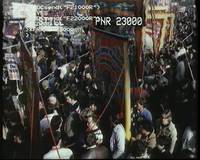
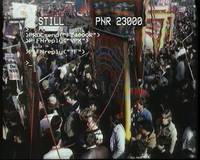
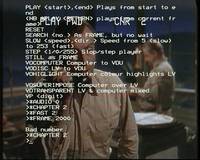
Computer control of the LV-ROM player can be carried out using two different communications methods. The first is via the serial communication, as we've already seen in some of the earlier picture sets in this Domesday 2010 section. The second is the more usual SCSI method, which is how the Domesday System proper does it.
Only one of these methods of communication is accepted by the LV-ROM player at any given time. Once one method is selected, the other communications channel is ignored until such time as the player receives a mode change command. This picture set is all about selecting and changing between the SCSI and serial communications modes.
In fact, it is two separate picture sets done at different times which I have decided to amalgamate (not least because a set of 20 pictures is easier to put in a table than a set of 7 and a set of 13!) So, the first 7 pictures are a bit of experimentation when I was in the process of discovering how the mode changes work. At the time I didn't know there was an official way to be switch between SCSI communications and serial communications.
By this point, I'd got as far as working out that serial communications would work until something was done using the Videodisc Filing System, after which serial communications wouldn't work any more. I also thought at this early stage that the only way to get serial chatter back was to turn the player off and on again.
The remaining 13 pictures are about 5 days later when I'd found the VP415 manual which details how to perform SCSI and serial mode selection, which it calls "mode changes". Please click on the picture links above to learn more.