
BeebMaster's
Domesday
Machine
Attempt 3
7th February 2004
BeebMaster's
Domesday
Machine
Attempt 3
7th February 2004
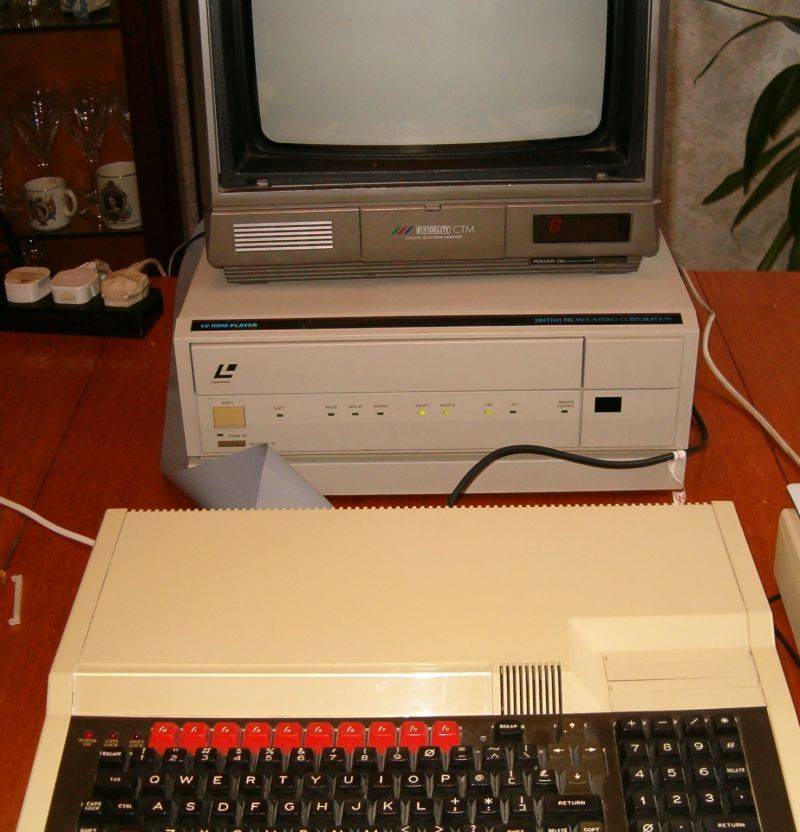
Here is how to connect everything together:
Fit the SCSI interface to the Master 128, according to the instructions here.
Fit the VFS ROM to the Master. The Domesday System appears to use up all the BBC's sideways RAM so you will need to use socket 8 (the middle socket of the three free sockets inside the Master) or one of the cartridge slot sockets.
Connect a full SCART lead from the LV-ROM player to the monitor.
Connect an RGB lead from the BBC Master RGB Out to the LV-ROM TTL socket.
Plug the mouse or trackerball into the BBC user port.
Add a Turbo co-processor to the Master or connect up a 6502 external second processor. The Domesday System will work perfectly well with either option. The Tube is only needed for running the Domesday software. It is not required for accessing the laserdisc or using the Videodisc Filing System commands.
Make sure the correct options at the back of the LV-ROM player are selected: REPLAY must be OFF and the SCSI ID DIP switches must all be set to OFF.
Connect the Master SCSI interface to the LV-ROM SCSI port. It is very important to get the lead the right way round. Pin 1 of the SCSI board is the top-most pin. Pin 1 of the LV-ROM is on the RIGHT. If your ribbon cable is made up wrong, don't worry too much as the connector at the LV-ROM end is sufficiently flexible to allow the cable to be inserted the correct way round.
With everything connected together, switch on. It doesn't matter what order you turn things on in.
The screen will be blank. THIS IS NORMAL.
Load a disc into the Laserdisc player and close the drive door. The LV-ROM will initialise the disc and then start to play it. THIS IS NORMAL.

