

BeebMaster's
20th Anniversary
Domesday
Machine
BeebMaster's
20th Anniversary
Domesday
Machine
This one fools everybody new to Domesday, and even some of those who haven't used the Domesday Machine for years!
The BBC output goes through the LV-ROM player, but when the LV-ROM player is first switched on or is in standby mode or the disc is ejected, it does not display the computer output.
So we have to tell the LV-ROM player that we want it to show us what the BBC is doing.
There are two ways of doing this. First is to hold down the Q key whilst pressing BREAK which will select the Videodisc Filing System and also switch in the computer output.
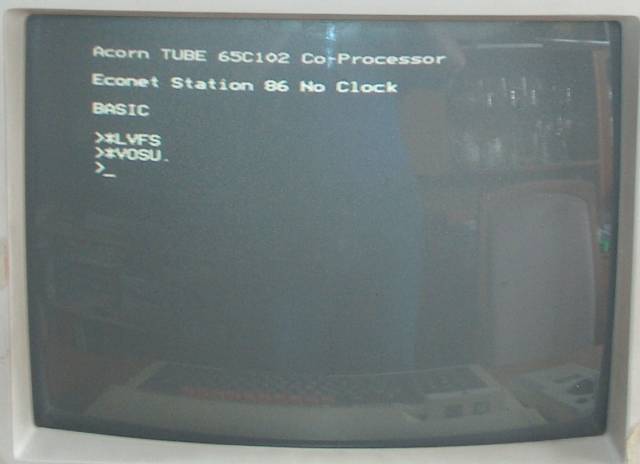
The second is to use one of the VFS commands to select computer output. These commands only work whilst in VFS so we need to change to VFS without mounting a disc using *LVFS. Then we need to switch in the computer output. *VOSU. is short for *VOSUPERIMPOSE which instructs the LV-ROM player to show the LV-ROM video output with the BBC computer output overlaid. After typing in these commands, a picture finally appears.
This machine is, in line with all my other Acorn machines with Econet fitted, configured for Econet as the default filing system. I gave this machine station number 86 in recognition of the year of the Domesday Project.
For the first time with my Domesday Machine, we have the "co-processor" message in the start-up display.

