
Teletext and Non Teletext Highlighting
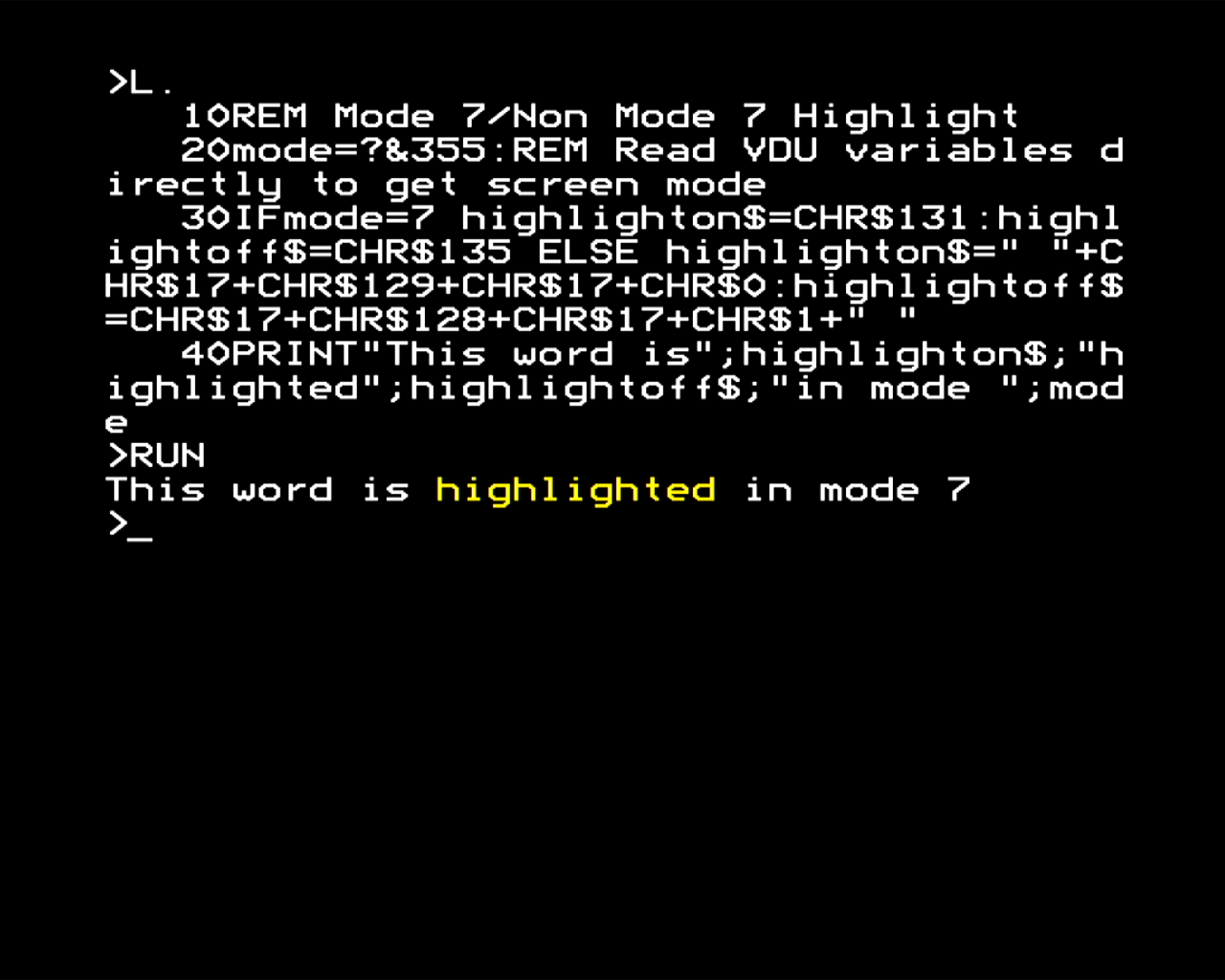
This highlighter is very simple really. It detects the screen mode by reading the VDU variables in page 3, which is a bit of a hack, and then uses that to determine the value of the "highlight on" and "highlight off" strings.
In the case of mode 7, the highlight on is the control code for yellow foreground text, and off is the code for white.
In the case of the other graphics modes, the highlight on is an inverse video of the white on black, so it uses VDU codes to change the background colour to colour 1, and the foreground to colour 0. Effectively, this is the equivalent of using the COLOUR statement to invert the colours, but as it is contained in the highlight strings, we can insert the same strings into the text to turn highlighting on and off in any mode. Using colours 0 and 1 is guaranteed to work, although in multi-coloured modes it may result in slightly different colours.
This is the effect in mode 7.
Click here to return to Teletext and Non Teletext Highlighting