
BeebMaster's
Domesday
Machine
Attempt 1
15th November 2003
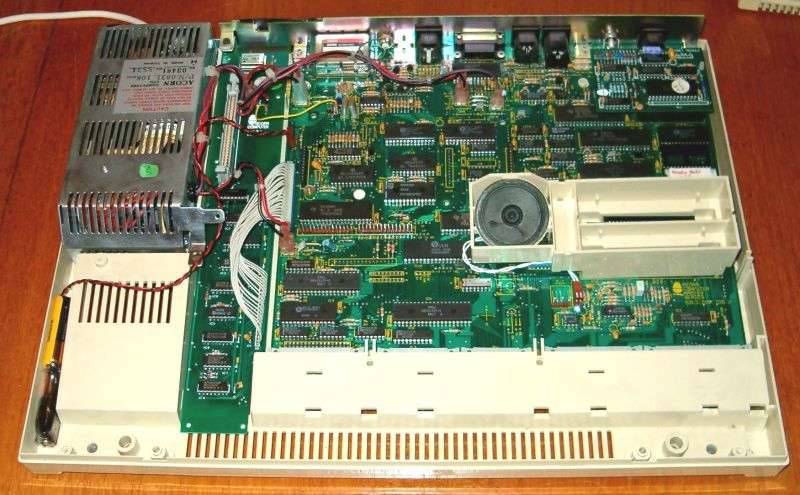
BeebMaster's
Domesday
Machine
Attempt 1
15th November 2003
The next step is to fit the SCSI interface. I would recommend adopting the following procedure:
1. Lay the SCSI board flat in the space between the motherboard and the power supply. To do this, either disconnect all the cables in the way first or carefully pass the SCSI board underneath the wires being careful not to bend or break the board.
2. Plug the two disconnected spade plugs onto the power connectors on the SCSI adapter.
3. Plug the two spade plugs coming from the SCSI board into the power connectors on the motherboard.
4. Plug the yellow lead into point B on motherboard link LK6(0)/6(1).
5. Pass the SCSI interface ribbon cable underneath the cables going from the motherboard to the power supply so that it reaches socket PL12.
6. Slide the white connector cover over the end of the ribbon cable.
7. Carefully line up the pins at the end of the ribbon cable with the contacts on blue socket PL12. The blue strip at one end of the ribbon cable should go to the north-most contact point of the connector.
8. Press home the ribbon cable into PL12 and clip the white cover back into place.

