

VP415
Diagnostics
VP415
Diagnostics
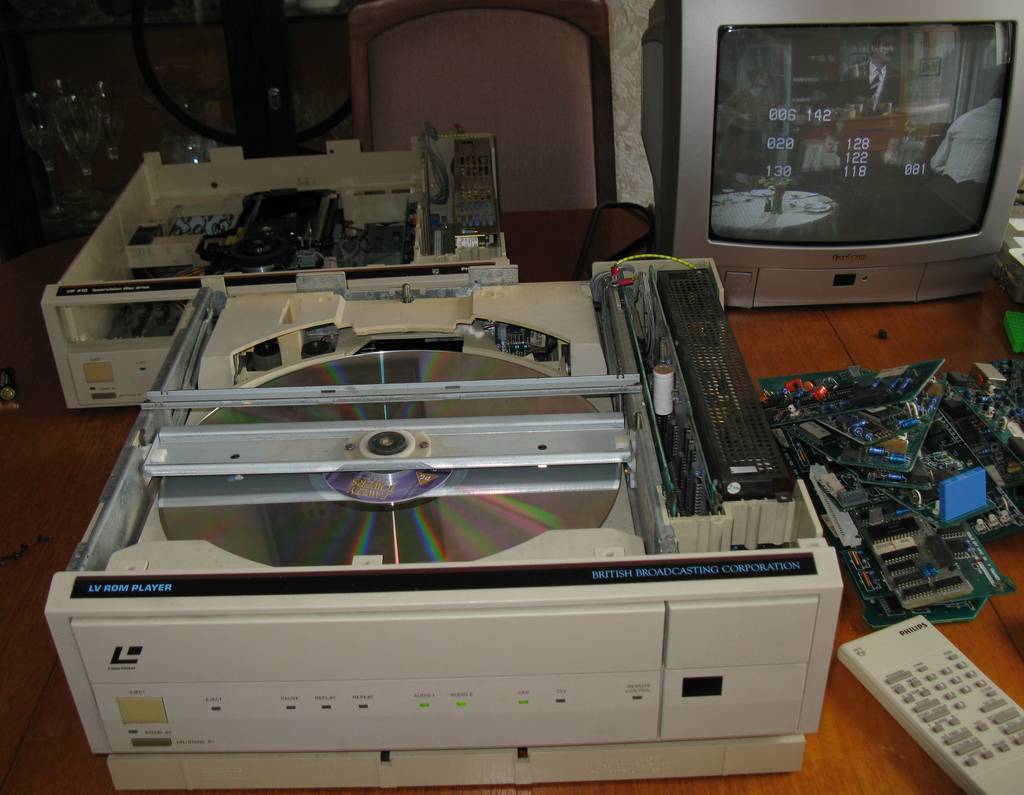
Several hours, or possibly even days, later, and we can see a large pile of modules on the right of the picture, which have been taken out of the faulty VP415 and replaced with the equivalent from the VP410.
I have to admit, I wasn't expecting to be able to get the thing going, so I was most definitely surprised and very happy when eventually I did get the disc to play, as you can see in the picture here. The player is in diagnostic check mode, and apparently all the numbers on the screen apart from bottom right don't mean anything. The last error is 81, meaning "No 24 bits". I don't know what that means either, thought it's possible it might relate to the way LV-ROM data is encoded on the discs, so it could just be telling me that this isn't a LV-ROM disc we're trying to play.